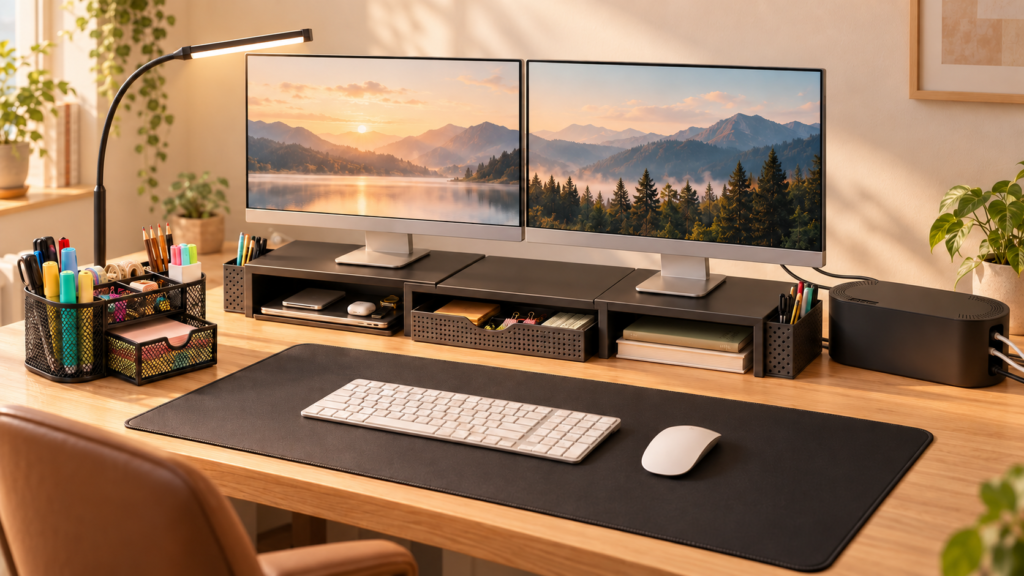
A comfortable workspace can make everyday tasks feel easier and more enjoyable. You do not need an expensive office makeover to improve your setup. A few practical desk essentials can help reduce clutter and make the items you use every day easier to reach.
Here are five work desk finds that work beautifully together in one simple, organized setup.
♡ As an Amazon Associate, Finds by Ris earns from qualifying purchases.
1. A Desk Mat for a Cleaner Work Surface
A desk mat creates a defined area for your keyboard, mouse, notebook, and other daily essentials. It can also add warmth and texture to an otherwise plain desk.
Choose a neutral color such as beige, cream, tan, or soft brown for a calm and timeless look.
Why it fits the setup:
It creates a visual foundation for the entire desk.
2. A Cable Management Box
Charging cables and power strips can quickly make a work desk look messy. A cable management box helps keep cords together and reduces visible clutter.
It can be placed behind or beside the desk while still keeping charging cables accessible.
Why it fits the setup:
It keeps the desk looking clean without removing the technology you use every day.
3. A Monitor Stand With Storage
A monitor stand can raise your screen and create extra space underneath for a keyboard, notebook, or small accessories.
Some designs also include drawers or compartments for pens, charging cables, and other desk essentials.
Why it fits the setup:
It uses vertical space while keeping smaller items organized.
4. A Warm Desk Lamp
Good lighting can make a work desk feel more comfortable, especially during early mornings, evenings, or cloudy days.
A simple desk lamp with a warm or adjustable light can add both function and style to your workspace.
Why it fits the setup:
It adds a practical light source while making the desk feel more welcoming.
5. A Desk Organizer for Everyday Essentials
A compact desk organizer can hold pens, sticky notes, scissors, charging accessories, and other small items that are easy to misplace.
Choose one with separate compartments so everything has a clear place.
Why it fits the setup:
It keeps frequently used items close by without making the desk feel crowded.
How to Put the Desk Setup Together
Start with the desk mat as the base. Place the monitor stand at the back, then position the lamp to one side and the desk organizer on the other.
Keep the cable management box behind the desk so the wires remain accessible but mostly hidden. Finally, leave some empty space in the center so the work surface does not feel overcrowded.
The goal is not to fill every part of the desk. A little empty space can make the whole setup feel calmer.
Final Thoughts
A practical work desk does not need to be complicated. With a few thoughtful additions, you can create a setup that feels organized, comfortable, and pleasant to use every day.
Which item would you add to your work desk first?